HabitPaws is a pet-powered habit builder for kids and families. It gives children a friendly companion, a short list of everyday routines, and a visual way to notice progress. Parents stay in control of the family space, while children get a little more ownership over the next step.
You can explore the core experience without registering. When you are ready to keep progress, create a parent account with an email address and password; the child's nickname is optional. The screenshots below show the no-registration demo, so the labels say that changes are not saved.
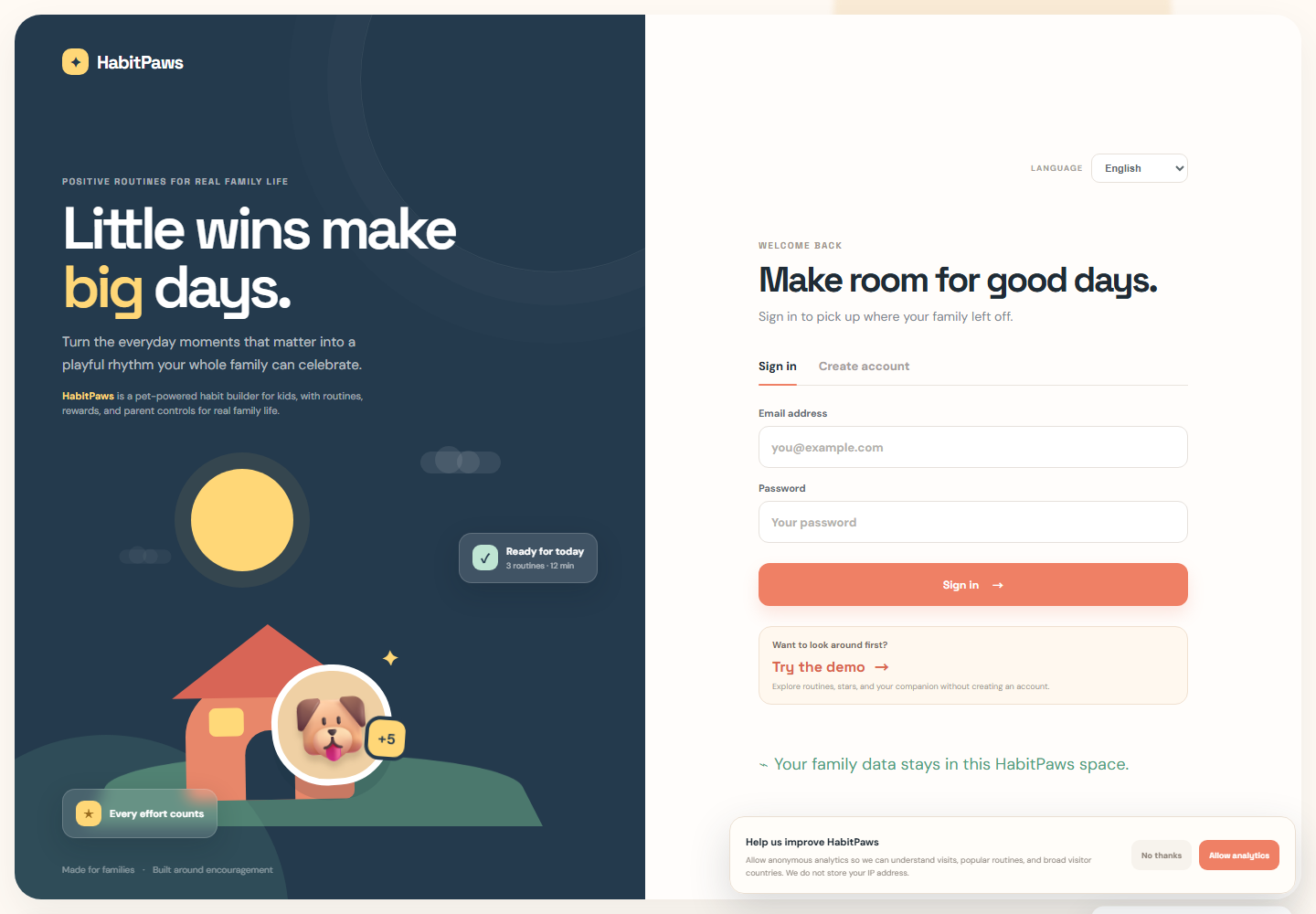
1. Start with the demo or create a family space
On the welcome screen, choose Try the demo if you want to look around first. This is the fastest way to see the companion, routines, stars, growth gallery, and Parent tab without entering account details. Demo progress stays in the current session.
If you already know you want to save progress, select Create account. A parent provides an email address and password, then may add a child's nickname. No child email address is needed for the core experience.
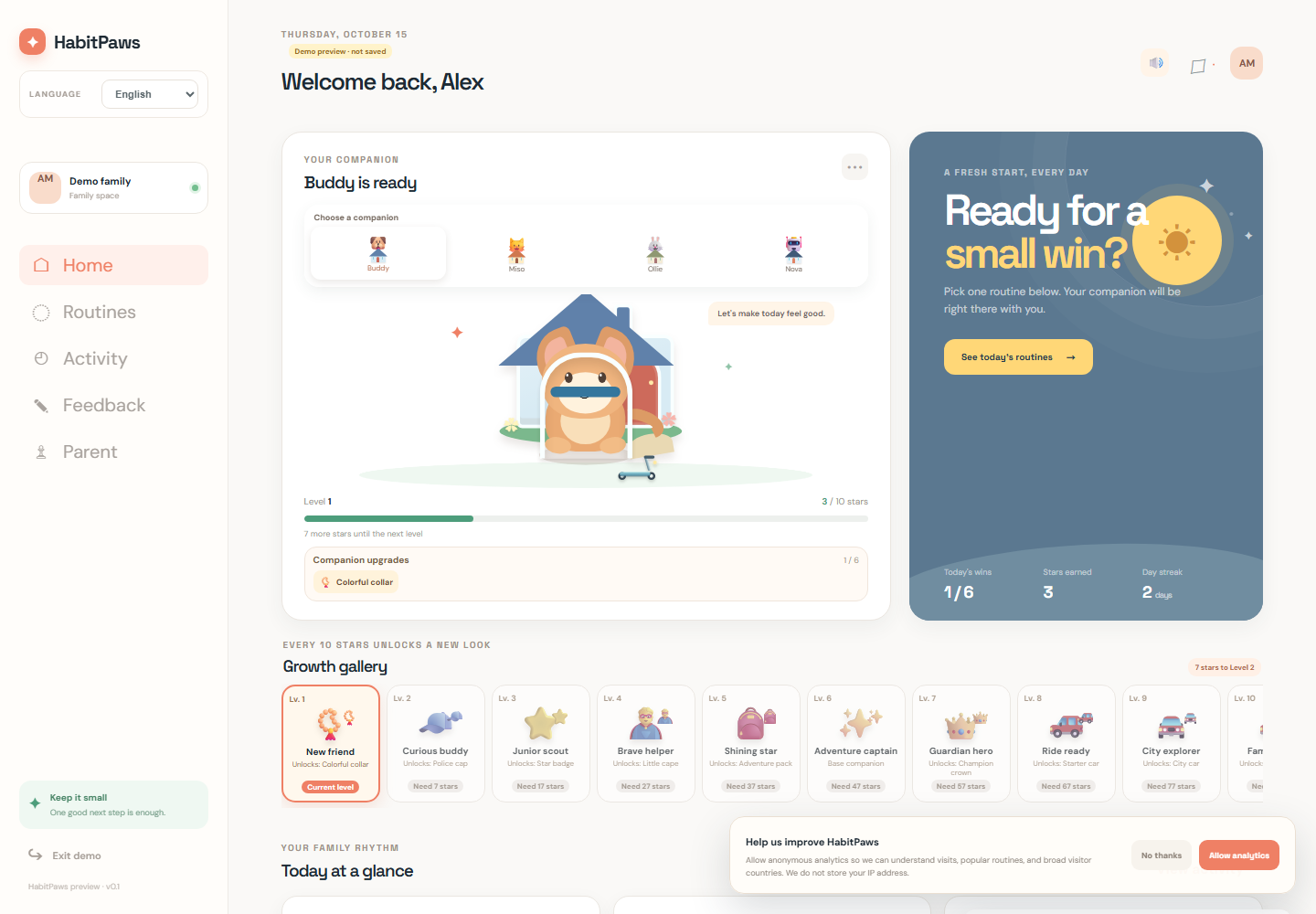
2. Choose a companion and look around Home
Once the demo opens, the Home view shows your companion near the top of the page. Choose the character that feels right for your family: Buddy the dog, Miso the cat, Ollie the rabbit, or Nova the robot. The choice is meant to make the routine feel personal, not to create a “best” character.
Home also gives you a quick view of today's wins, stars, day streak, the growth gallery, and companion upgrades. Take a minute to explore the page, then choose one routine rather than trying to change everything at once.
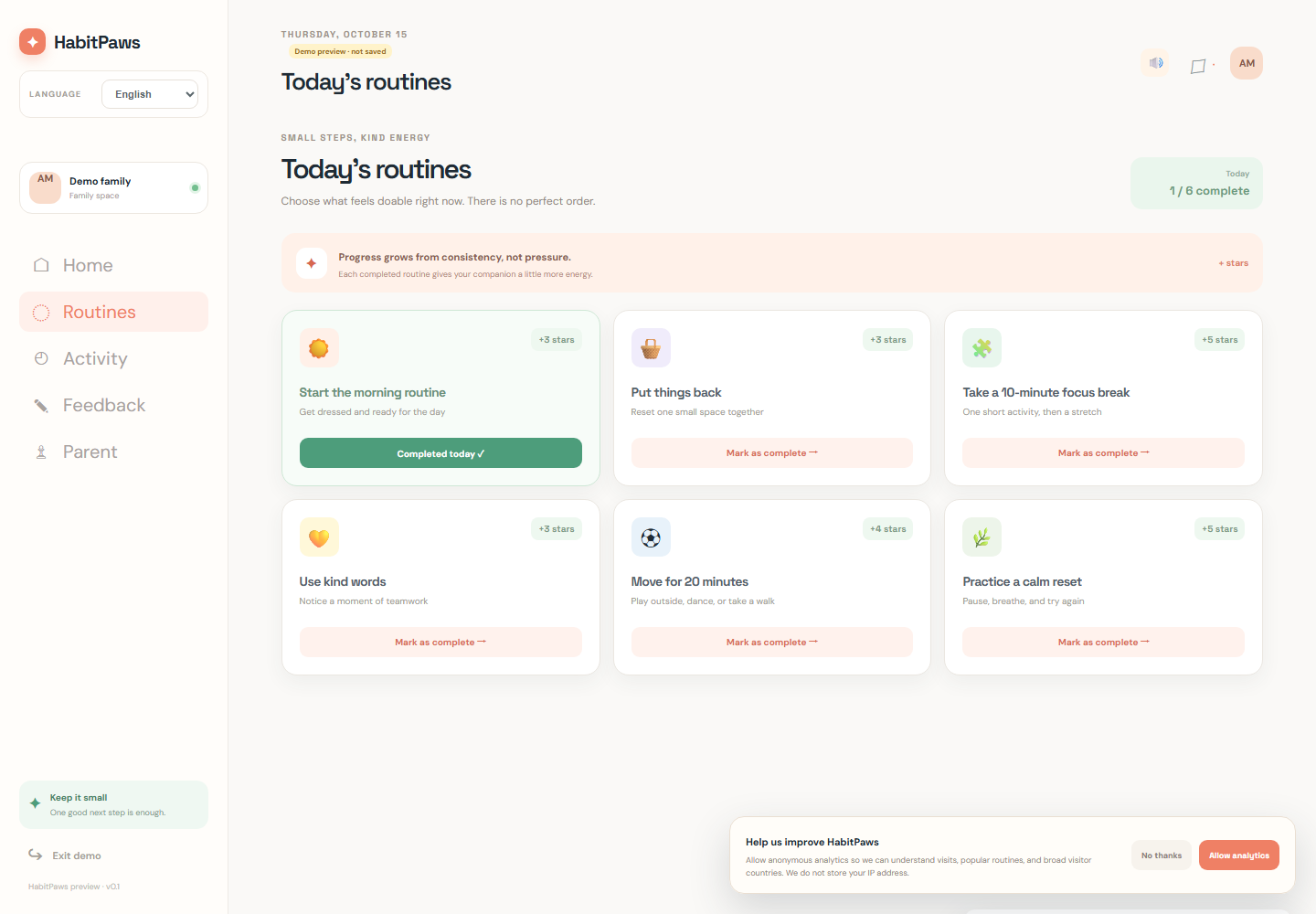
3. Choose one routine that feels doable
Open Routines from the left navigation. HabitPaws starts with six simple examples:
- Start the morning routine
- Put things back
- Take a 10-minute focus break
- Use kind words
- Move for 20 minutes
- Practice a calm reset
Choose the routine that fits the moment. There is no required order and no need to finish every card on the first day. When the routine is complete, select Mark as complete. The companion gains stars and the activity becomes part of the family's progress story.
4. Let progress grow through small wins
Completed routines earn stars. Stars are a visual signal that effort happened; they are not a grade. As stars accumulate, the companion can unlock new looks, houses, vehicles, sounds, and celebration moments in the growth gallery.
Every family can use the rewards differently. Some children enjoy checking the next unlock. Others respond more to hearing a celebration sound or seeing a house change. Keep the conversation focused on the effort: “You came back to the routine,” “You took the first step,” or “You helped reset the room.”
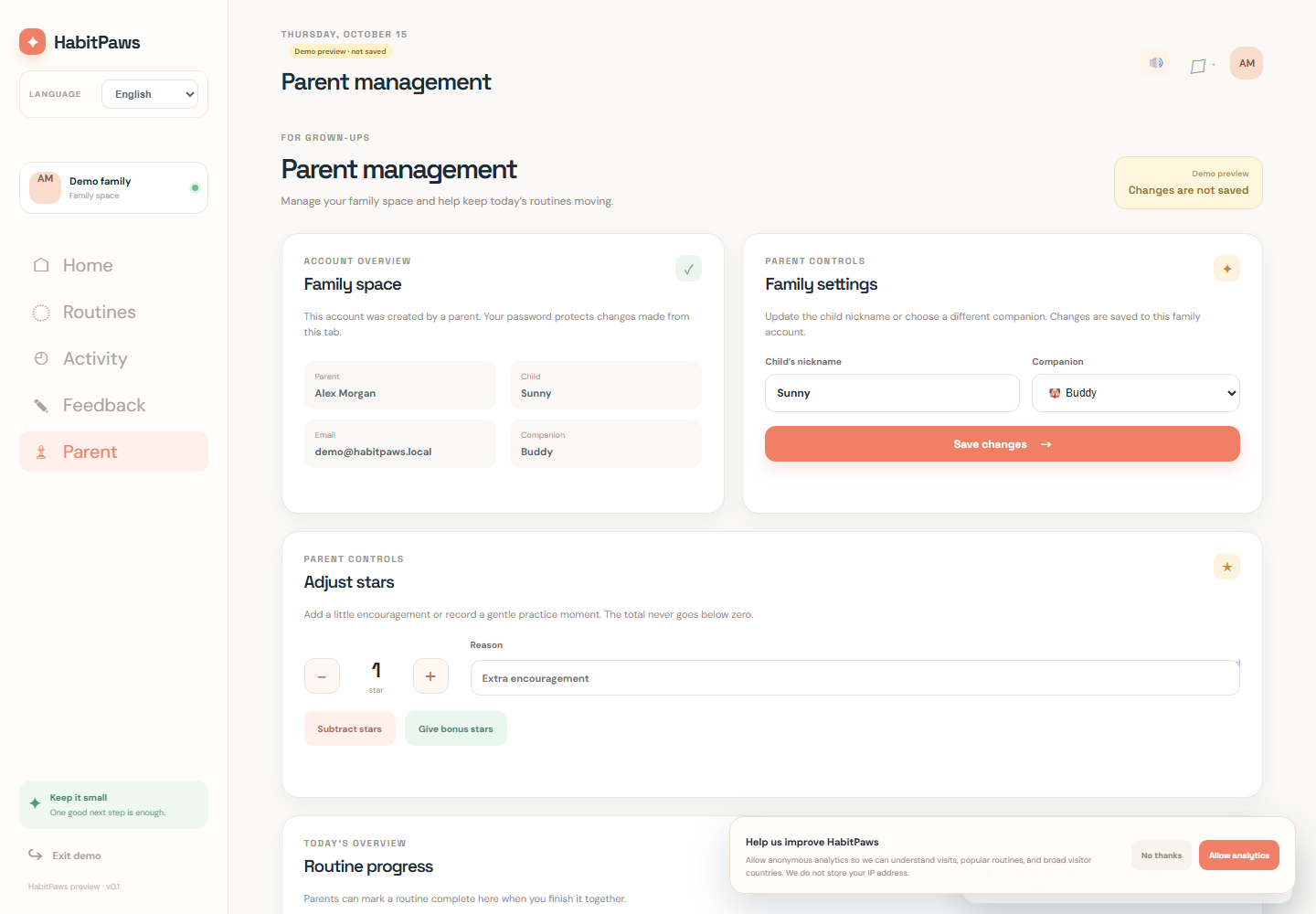
5. Use Parent management to shape the experience
The Parent tab is for the adult managing the family space. In a saved account, parent controls are protected by the account password. In the demo, the same area is available as a preview, but changes are temporary and are not saved.
From Parent management, you can:
- Update the child's nickname.
- Choose a different companion.
- Add bonus stars for encouragement.
- Subtract stars when you need to correct the total.
- Add, edit, or remove routines that fit your family's day.
- Mark a routine complete together when that is the most helpful support.
Use these controls to make the system more realistic, not stricter. A custom routine such as “Pack tomorrow's school bag” or “Put reading book by the bed” can be more useful than a generic goal.
6. Share feedback when something could be better
The Feedback tab is a place for parents to suggest an idea, report a problem, or ask a product question. New posts are reviewed before they appear publicly. Please do not include a child's full name, school, address, phone number, health information, or other private family details in a post.
Useful feedback is specific and kind: describe what you were trying to do, what felt confusing, and what would make the next step easier. That helps HabitPaws grow around real family life.
A gentle five-minute first session
- Open the demo and choose a companion together.
- Ask, “Which one routine feels easiest today?”
- Complete that routine without adding a second challenge.
- Notice the effort and let the companion celebrate it.
- Return tomorrow and decide whether to repeat or adjust the routine.
Habit-building works best when the tool supports a calm family conversation. HabitPaws is there to make the next step visible; the relationship around that step is what matters most.
Frequently asked questions
Can I try HabitPaws without registering?
Yes. Select Try the demo on the welcome screen. You can explore the pet companion, routines, rewards, growth gallery, and Parent preview. Demo changes are temporary.
What does the parent account save?
A parent account saves the family space, routine setup, companion choice, stars, activity history, and optional child nickname. The account uses the parent's email and password; a child email is not required.
Should we complete every routine?
No. Start with one manageable routine. The purpose is to practise returning to a helpful rhythm, not to create a perfect scorecard.
Is HabitPaws medical or behavioural treatment?
No. HabitPaws is a general family routine tool and does not diagnose or treat attention, behaviour, learning, or health conditions. If routines are causing significant distress, speak with a qualified professional who knows your family.